
Download YouTalk – AI‑Powered YouTube Assistant & Search Tool
Overview
YouTalk is a free Chrome extension that reimagines how we interact with YouTube videos. Powered by advanced artificial‑intelligence, the tool lets users type or speak a question while a video is playing and instantly receives a concise, relevant answer extracted from the video’s audio and transcript. Instead of manually scrubbing through minutes of footage, YouTalk pinpoints the exact segment where the answer appears and displays a clickable snippet that jumps straight to that moment.
This not only saves time but also improves retention, especially for educational, tutorial, and long‑form content. The extension works in the background, analyzing new videos as they load, so the knowledge base expands automatically without any extra effort from the user. Its voice‑recognition feature enables hands‑free queries, making it ideal for learners who prefer to stay focused on the content rather than fiddling with a keyboard or mouse.
By integrating AI‑driven summarisation, keyword extraction, and real‑time search, YouTalk transforms a passive viewing experience into an interactive dialogue, turning every YouTube session into a personalized tutoring session. Whether you’re a student chasing a specific concept, a developer hunting for a code snippet, or a hobbyist looking for a quick recipe step, YouTalk delivers the answer in seconds, keeping you in the flow and dramatically increasing the efficiency of your research on the world’s biggest video platform.
Key Features
- Instant Question‑Answering: Ask a question in text or voice and receive an answer within seconds, drawn directly from the video’s content.
- Smart Snippet Navigation: Clickable timestamps appear next to the answer, allowing you to jump straight to the relevant part of the video.
- AI‑Powered Content Extraction: The extension leverages natural‑language processing to understand context, identify key concepts, and surface the most accurate segment.
- Voice Recognition: Use your microphone to pose questions hands‑free, perfect for multitasking or accessibility needs.
- Automatic Indexing: As soon as a YouTube page loads, YouTalk begins indexing the transcript and audio, preparing the knowledge base for instant queries.
- Multi‑Language Support: Built‑in language detection works with English, Spanish, French, German, and many other languages, expanding its usefulness worldwide.
- Privacy‑First Design: No personal data is stored on external servers; all processing occurs locally in the browser, ensuring a secure experience.
- Seamless Chrome Integration: The UI appears as a compact toolbar next to the video player, keeping the interface clean and unobtrusive.
- Free Updates: Regular automatic updates bring new AI models, performance improvements, and bug fixes without any cost to the user.
- Cross‑Device Compatibility: Works on Chrome for Windows, macOS, Linux, as well as Chrome on Android and iOS, so you can enjoy the same experience on desktop and mobile.
Installation, Usage & Compatibility
Installing YouTalk is a straightforward three‑step process. First, open the Chrome Web Store and search for “YouTalk – YouTube AI Assistant.” Click the “Add to Chrome” button and confirm the permission request. The extension will appear as a small icon next to the address bar.
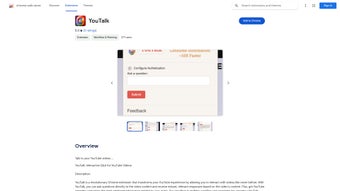
Once installed, navigate to any YouTube video; the YouTalk toolbar automatically slides into view beneath the video player. To ask a question, click the microphone icon for voice input or type directly into the provided text field. After submitting, YouTalk’s AI scans the video’s transcript and audio, then presents a concise answer along with a highlighted snippet.
Clicking the snippet jumps you to the exact timestamp where the answer is discussed, eliminating the need to scroll manually.
Compatibility – The extension is built for the Chromium engine, meaning it runs on Chrome browsers across all major operating systems. It supports Windows 10/11, macOS Ventura and later, Linux distributions with Chrome, and Chrome Mobile on Android 12+ and iOS 15+. Because the processing happens locally, there are no additional system requirements beyond a recent version of Chrome and an internet connection for video streaming. Users on older hardware may notice slightly longer analysis times, but the core functionality remains reliable.
Pros
- Speeds up information retrieval from long videos.
- Hands‑free voice queries enhance accessibility.
- Accurate AI extraction reduces the need for manual searching.
- Free and regularly updated with new language models.
- Works on both desktop and mobile Chrome browsers.
- Privacy‑centric; no data leaves the user’s device.
Cons
- Performance depends on the quality of the video’s auto‑generated transcript.
- Occasional misinterpretation of very technical jargon.
- Requires an active internet connection for AI model updates.
- Voice recognition may struggle in noisy environments.
- Not available for browsers other than Chrome (e.g., Firefox, Safari).
FAQ & Conclusion
Is YouTalk completely free to use?
Yes, YouTalk is offered as a free Chrome extension. All core features, including AI‑driven question answering and voice recognition, are available at no cost. Future premium add‑ons may be introduced, but the basic functionality remains free.
How does YouTalk handle privacy and data security?
YouTalk processes video transcripts locally in the browser; no personal queries or audio recordings are sent to external servers. The extension only requests permission to read YouTube page content, ensuring a privacy‑first experience.
Can I use YouTalk on mobile devices?
Absolutely. The extension works on Chrome for Android and iOS. The interface adapts to smaller screens, and the voice query feature is especially handy on mobile.
What languages does YouTalk support?
YouTalk automatically detects the language of the video and can answer in English, Spanish, French, German, Portuguese, Italian, and many other major languages. The accuracy improves as the transcript quality increases.
Why does YouTalk sometimes give an incorrect answer?
The AI relies on the video’s transcript and audio clarity. If a video has a poor auto‑generated transcript, heavy background noise, or very niche terminology, the model may misinterpret the content. Updating to a higher‑quality video or manually editing the transcript (if available) can improve results.
Conclusion – YouTalk is a game‑changing addition to the YouTube ecosystem, turning passive watching into an active, query‑driven learning experience. Its AI‑powered answer engine, voice control, and instant snippet navigation make it an essential tool for students, professionals, and casual viewers alike. Installation is quick, the interface is unobtrusive, and the extension runs smoothly across all Chrome platforms. While it depends on transcript quality and is currently limited to Chrome, the benefits far outweigh these minor drawbacks. If you spend any amount of time on YouTube searching for specific information, YouTalk will dramatically cut down the time you waste scrolling and increase your productivity.
Ready to supercharge your YouTube sessions? Download YouTalk now and start asking questions instantly—no more endless scrubbing, just precise answers at your fingertips.
YouTalk delivers a remarkably smooth experience for locating information inside YouTube videos. The AI answering engine is quick, the voice feature works well in quiet settings, and the clickable snippets save an enormous amount of time. The only noticeable limitations are occasional inaccuracies with heavily technical content and the fact that it only supports Chrome. Overall, it’s a solid free tool that every frequent YouTube user should try.






